Google Ads clicks but no customers: what to check first
Google Ads getting clicks but no customers? Check tracking, search terms, your landing page and follow-up to find where sales and enquiries are lost
Related services Paid media & demandConversion & measurement
The short answer
Before you change the ads or cut the budget, find where the customers drop out, checking in this order
- Tracking does Google Ads see the sales and enquiries you already get?
- Searches are you paying for people who want what you sell?
- The page does it keep the promise of the ad?
- The phone can someone buy or get in touch without a struggle?
- Follow-up what happens to an enquiry after it arrives?
A first pass needs access to the Google Ads account, your phone and your own sales records
The account shows clicks every day, the invoice arrives every month, and the phone stays quieter than either of them suggests
The tempting move is to rewrite the ads or cut the budget
We’d hold off on both until it’s clear where the customers drop out, because each cause has a different fix, and fixing the wrong one costs another month of spend
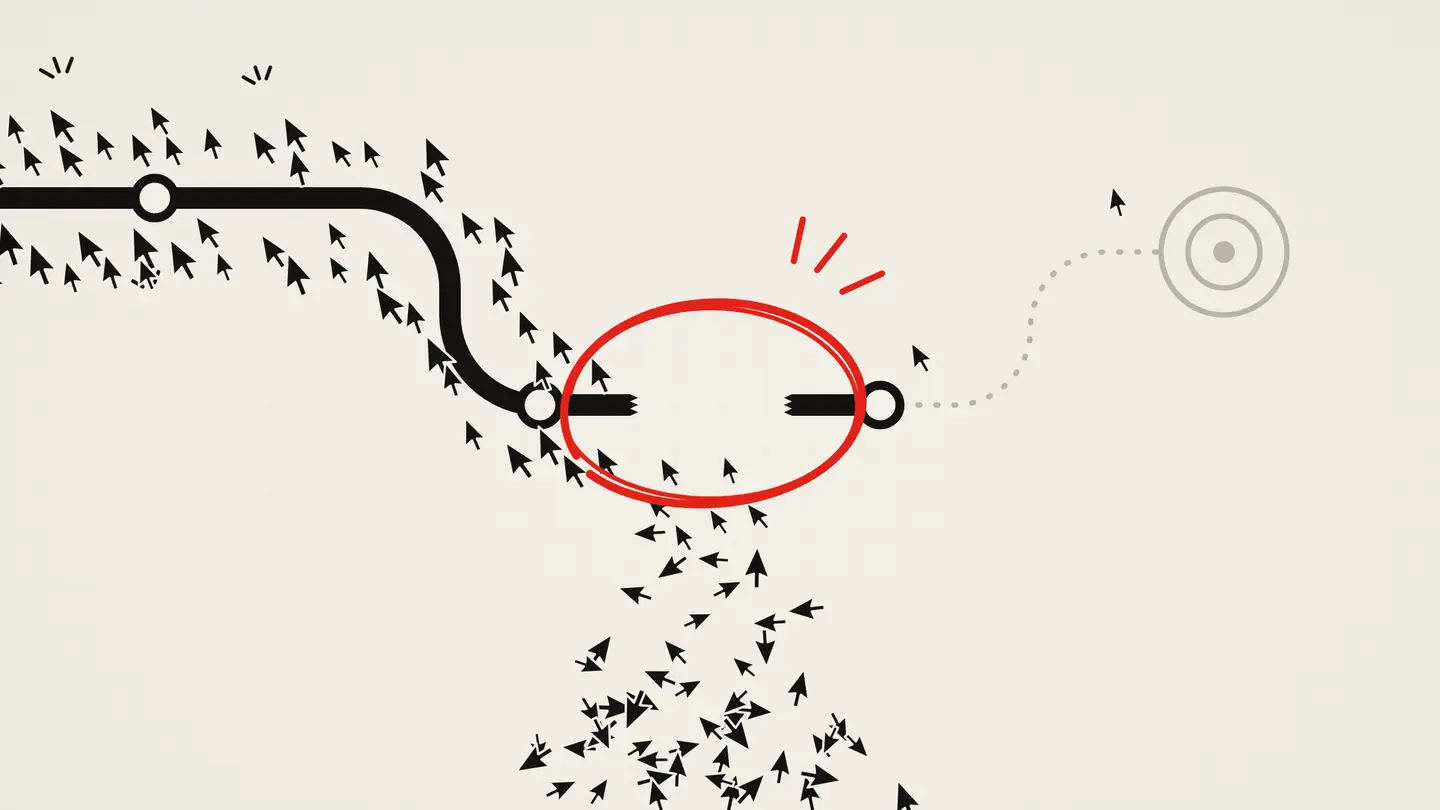
Three quite different situations hide behind “no customers”: the sales aren’t happening, they are happening but nobody records them, or enquiries arrive and then go nowhere
The checks below tell them apart, in the order we’d run them
- ClickWrong searches, wrong places
- PageThe page doesn’t match the ad
- Enquiry or purchaseHard on a phone
- CustomerSlow replies, no follow-up
Tracking has to see every step, or the numbers can’t show where people drop out
Make sure the customers are really missing
Start here, because every later decision depends on this number being right
Put two figures side by side for the last 30 days: the Conversions column in Google Ads, and the orders, enquiries or calls from ads in your own records
If you have no record of where enquiries come from, start asking every new one how they found you; it’s crude, and it’s better than nothing
It helps to be strict about what you are counting, because three different things often get called a conversion:
- An online purchase appears as an order in your shop’s admin
- An enquiry is a form, a call, an email or a chat message, and it arrives wherever your team receives it
- A customer is someone who paid; for a service business that can happen weeks after the enquiry, and Google Ads never sees it unless you send it back
If your records show more than Google Ads
Then the ads may be doing better than the account admits, and cutting the budget now would cut something that works
Fix measurement first:
- Open the conversions summary in Google Ads and read the status of each conversion action; Google flags actions that need attention, are set up incorrectly or have recorded nothing in the last 7 days
- Send a real test enquiry, or place a test order, from your phone and confirm with Tag Assistant that the conversion fires
- Look at calls and messages: if most customers phone or write on WhatsApp and only the form is tracked, the account will look emptier than your business is
If Google Ads shows more than your records
Then the account is probably counting things that aren’t sales or enquiries, such as a visit to the contact page or a click on a button
This matters beyond reporting: only primary conversion actions appear in the Conversions column, and automated bidding generally works towards that column
If it counts button clicks, the campaign learns to find people who click buttons
Make the primary actions completed purchases, sent enquiries and real calls
Give the numbers time and volume
Google reports a conversion against the day of the click, so the last few days always look emptier than they will once late enquiries arrive; if your customers usually take two weeks to decide, judge the clicks from two weeks ago
Small numbers mislead too, and a quick illustration shows how much: if 2 in 100 visitors usually get in touch, there is roughly a one in three chance that 50 clicks bring no enquiry at all, and after 200 clicks that chance falls to about 2%
So a zero after a few dozen clicks is a reason to check the tracking and keep watching, and not yet proof that the ads failed
Read the searches you’re paying for
If the tracking holds up and the numbers really are low, the next most likely leak sits upstream: people who were never going to buy
Your keywords are what you asked for; the search terms report shows what people actually typed before they clicked
Open it for the last 30 to 90 days, sort by cost and look for searches that can’t turn into customers:
- Jobs, salaries, courses or free templates
- Do-it-yourself questions when you sell the finished service
- Products or services you don’t offer, or another company’s name
- Places you don’t serve
Broad match is the default match type and can show ads on searches that are only related to your keyword; that reach can pay off when the account learns from real sales, and it burns money when it learns from the wrong conversions
While you are in the account, check three settings:
- Locations: the default reaches people in, regularly in or interested in your area; a business that only serves people nearby may need the option for people in or regularly in the area
- Networks: Search campaigns include Google search partners by default, and their clicks may be less targeted; compare their results with Google Search before you keep them
- Hours: if nobody answers the phone at night, see how much of the budget goes on clicks at night
What you find here decides the next step
If irrelevant searches take a visible share of the spend, add them as negative keywords, narrow the settings that let them in and give it a week or two before judging the page
If the searches look right, the problem is further down the path, and changing the ads won’t touch it
Check that the page keeps the ad’s promise
Someone clicked because the ad promised something specific, so the page has a few seconds to confirm they’re in the right place
Read your ad, then open the page it sends people to on your phone
On the first screen, a stranger should see:
- What the ad offered, in the same words: the product, service, price, offer or place
- A reason to trust you: reviews, examples of work, a guarantee or a credential you really have
- What to do next: buy, call, book or send an enquiry
The two gaps we’d look for first are an ad for one service that lands on the home page, where people have to hunt for it, and an ad that mentions a price or offer the page never repeats
The landing page experience rating in Google Ads (above average, average or below average) can tell you which keywords to look at first; treat it as a pointer, because Quality Score is a diagnostic rather than a goal
If the right page doesn’t exist yet, the fix is a new page rather than a new ad
Try to buy or get in touch on a phone
Check what share of your clicks come from phones, then go through the whole path yourself on mobile data, the way a customer would:
- How long before you can read the page and see the next step?
- Does the phone number start a call when you tap it?
- How many fields does the form ask for, and how many of them do you actually use?
- In a shop, do delivery costs, stock problems or a forced account appear only at checkout?
- After you send, do you see a clear confirmation, and does the enquiry reach the person who answers it?
Note every moment you hesitated, because a customer with less patience leaves at exactly that point
For an online shop, compare product views, items added to the basket and finished orders in your shop or analytics reports; the biggest drop shows which step to look at first
Remove the step that stops people, such as an unnecessary field, a surprise cost or a broken button, before you buy more clicks to send through it
Follow an enquiry after it arrives
Sometimes the ads and the page do their job and the customer is lost afterwards, in a place no ad report can show:
- The form sends to an inbox nobody checks, or straight into spam
- Calls go unanswered at busy times, and nobody calls back
- The first reply takes a day, and by then the customer has asked other companies too
- Quotes go out and nobody follows them up
Before you raise the budget, take the last 20 enquiries from ads and follow each one to a sale or a dead end: how fast someone replied, whether it was a fit, and whether it became a customer
If most were a poor fit, go back to the search terms and the page, because they decide who gets in touch
If most were a good fit and still went nowhere, the fix is in how enquiries are handled, and more clicks would only make that more expensive
Once you record which enquiries became customers, Google Ads can learn from that too: offline conversion imports and enhanced conversions for leads send qualified leads or sales back to the account, so bidding aims at customers rather than every form
What to fix first
Start with the row that matches what you see:
| What you see | What to check | Next step |
|---|---|---|
| Your records show sales or enquiries that Google Ads doesn’t | Conversion status, the tag on the thank-you or order page, untracked calls and messages | Fix tracking before you change the campaign |
| Google Ads shows conversions you can’t find in your records | What counts as a conversion, duplicate tags, primary actions | Count only purchases, sent enquiries and real calls |
| Only a few dozen clicks so far, or a long sales cycle | How much data you have and how long customers take to decide | Keep the ads running, confirm tracking, set a date to review |
| Many clicks from searches that don’t fit | Search terms, match types, locations, search partners | Add negative keywords and narrow the settings |
| The searches fit, but people leave the page | Ad and page match, the first screen, speed on a phone | Send each ad to the page that answers its search |
| People start the form or checkout and don’t finish | Each step on a phone, required fields, surprise costs | Remove the step that stops them |
| Enquiries arrive, but few become customers | Reply time, missed calls, fit, follow-up | Fix handling and qualification before you buy more clicks |
Change one thing at a time, so you know what made the difference, and compare equal periods before and after with numbers from your own records:
- Cost per enquiry or per sale
- The share of enquiries that became customers
- Customers and revenue from ads
Before you call a change a success or a failure, wait for enough clicks and for at least your usual time between first click and purchase
Once you know where customers drop out, the Google Ads budget worksheet shows whether the cost per customer fits your margin
If ads are only one of several things competing for your attention, the small-business marketing strategy matrix helps decide what to tackle next
Paying for clicks that don’t turn into customers?
Tell us what you sell, where the ads send people and what the numbers show, and we’ll talk through where the customers may be slipping away
Discuss your ads on Telegram